 OneSearch
 Beta
OneSearch is an independent iPhone and iPad app that makes the files attached to your OneNote notes searchable: PDFs, scans, photos and Office files, as well as note text. It is not made by or affiliated with Microsoft.
Join the beta
Open the link on your iPhone or iPad. Testing is limited to 100 people. If the link says the beta is full or not accepting testers, email onesearchapp@gmail.com.
You need an iPhone (iOS 27 or later) or iPad (iPadOS 27 or later), the free TestFlight app, and a Microsoft account with OneNote notebooks.
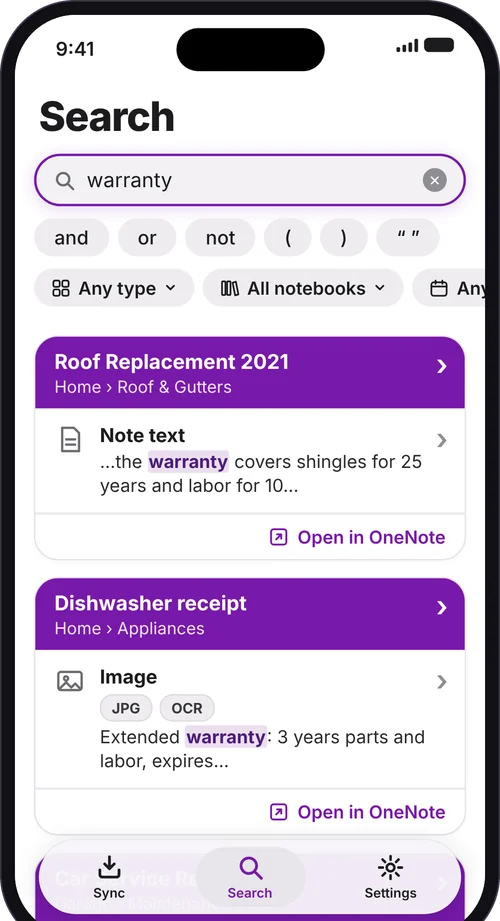
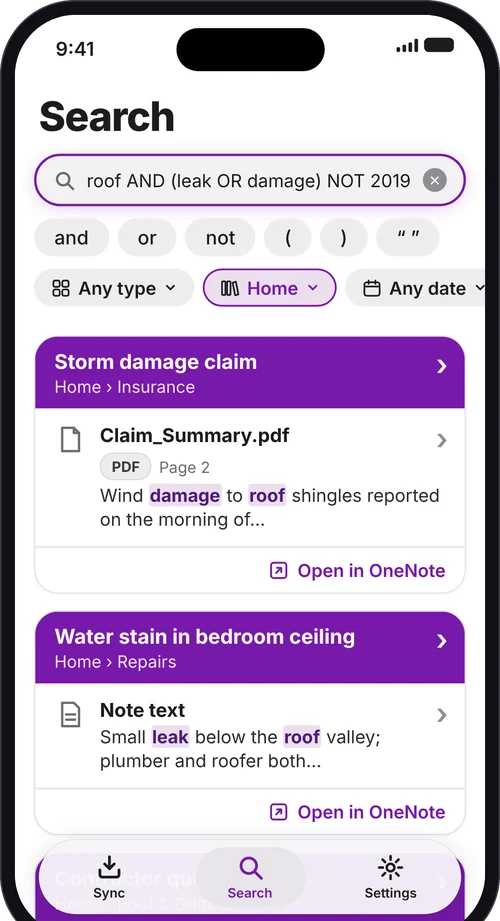
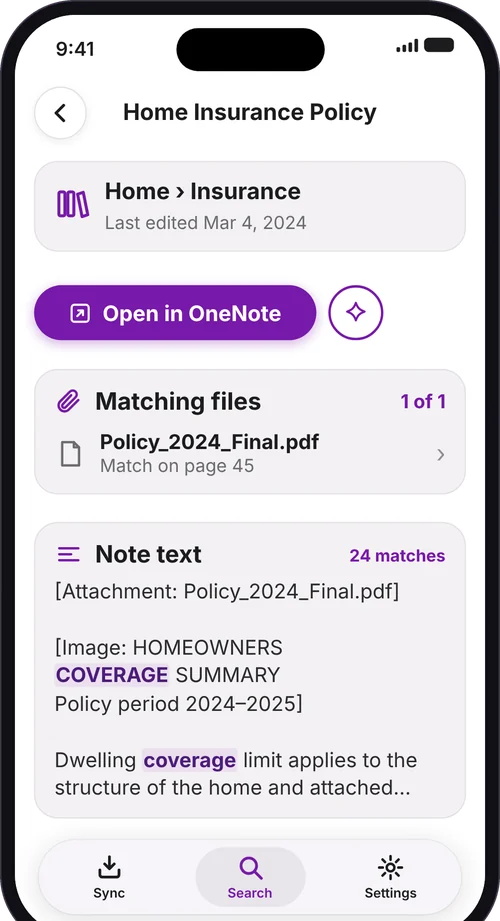
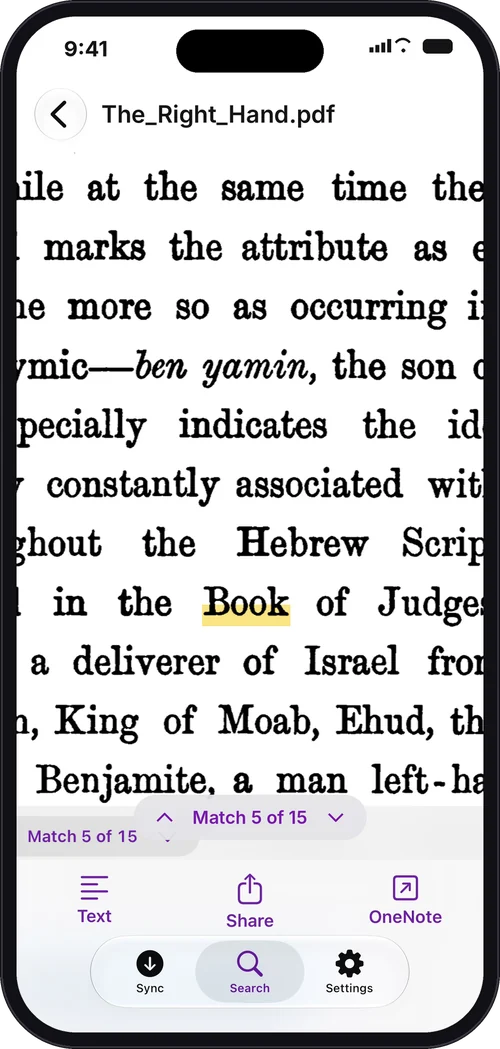
Screenshots show sample notebooks.
What it does
- Search inside attached PDFs, photos of documents, whiteboards and receipts, using on-device text recognition
- Use AND, OR, NOT, brackets and "quoted phrases" for exact searches
- Jump to the match, with the term highlighted in the original file
- Open the source note in OneNote
- Search offline from a private copy on your device
OneSearch is read-only. It never edits or deletes anything in OneNote. Your notes and files stay on your device and are not sent to any server run by the developer. See the privacy policy.
What to try
- Sign in with your Microsoft account and add one or two notebooks. Include a notebook with PDFs or images attached.
- Wait for the first sync to finish. Large notebooks can take a while, and you can use the app meanwhile.
- Search for a word you know is inside a PDF or an image. Check that the result is right.
- Tap a result. Check that the original file opens at the match with the term highlighted.
- Try an exact search, for example:
roof AND (leak OR damage) NOT 2019 - Tap Open in OneNote from a result.
- Turn on airplane mode and search again. It should still work.
- Remove a notebook in Settings. Check that its results disappear.
- Try Dark Mode and larger text sizes.
Known limits
- Work or school accounts may need administrator approval from your organization before sign-in works.
- Photos with very small or messy handwriting may not be found.
Send feedback
Take a screenshot in the app, or use Send Beta Feedback in TestFlight. You can also email onesearchapp@gmail.com. Please include your iPhone or iPad model and iOS version, and tell us what was slow, confusing or missing. If a file fails to import, tell us the file type and roughly how big it is.